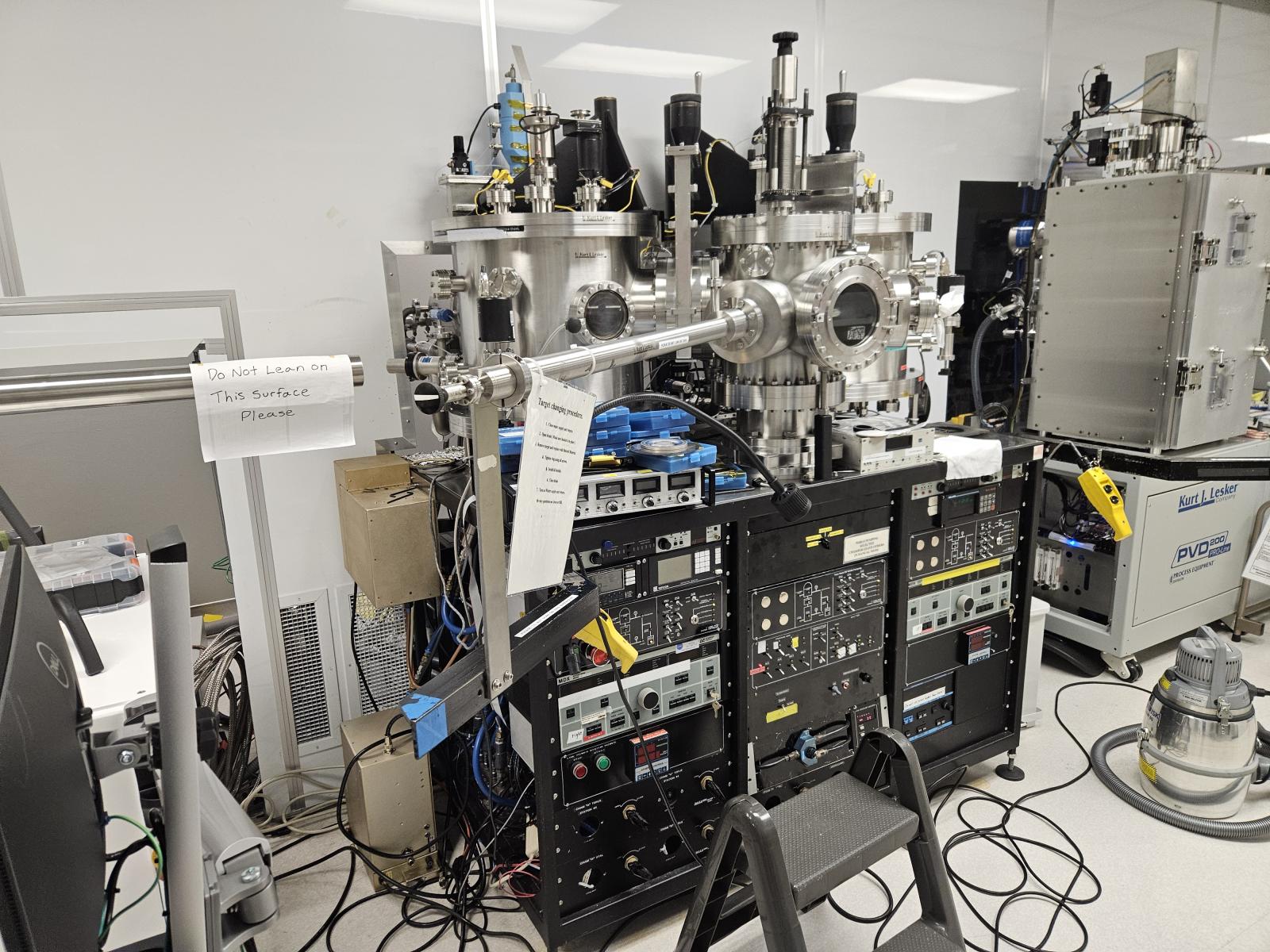
Features:
- Chamber A: 4-inch target
- Chamber B : 6-inch Ta target
Compatible Materials: Si / Limited SiGe / Metals: Hf, Zr, Ta, Limited Ni with superuser approval.
Incompatible Materials: Photoresist / III-V
Operation Procedures:
- Log on to the tool using the LabAccess terminal.
- Record the run in the KJL logbook.
- Check the Chamber Status (Vacuum, interlock lights, and previous user’s comments)
- Load Sample into the load lock
- Switch load lock mode to STANDBY
- Turn vent on
- Wait until ATM reaches (~ 2 min)
- Open door and turn vent off
- Load a wafer and close door
- Switch selection mode to Auto
- Turn Auto-start
- Wait until Load Lock reaches “High Vac” (~ 4 min)"
- Transfer wafer from Load Lock to Sputtering Chamber
- Open gate valve
- Transfer wafer
- Close gate valve
- Preparing for deposition
- Wait until the chamber pressure reaches less than 5E-7 Torr
- Set the rubber belt for wafer rotation and wafer rotation ON
- CLOSE Conductance Valve
- Open the gas(es) you want to use: Gas 1 (Ar), Gas 2 (N2), O2
- Select Chamber A or B
- Open MFC(s): MFC1 is for Ar, MFC2 is for Gas 2 or O2
- Wait until the chamber pressure reaches the setpoint value
- Deposition
- Check the condition of power source (MDX)
- Turn the MDX ON
- After your deposition time, turn the MDX off
- Close MFC(s), chamber switch, and gas valve(s)
- Turn off rotation
- Open conductance valve
- Transfer a wafer from the chamber to Load Lock
- Open gate valve
- Transfer wafer from the chamber to the load lock
- Close gate valve
- Switch load lock mode to the standby
- Open vent valve
- Wait until the load lock reaches atmosphere
- Unload the deposited wafer and load a new wafer
- Log off of the tool using the LabAccess terminal.